Mutual fund debit freeze: how to lock your folio, what still runs, and how to unlock
Lock your mutual fund folio on MF Central so no units can be debited until you unlock. What stops, what keeps running, and how to unlock.
Summarize this article with AI





The short version
- The debit freeze is voluntary. SEBI created it (6 March 2026, in effect from 30 April 2026); AMFI's process (10 April 2026) sets what stops and what runs.
- You need KYC done and both email and mobile on the folio. Non-demat folios lock on MF Central; demat folios go through the depository.
- Redemptions, switches and new SWP/STP registrations stop. Purchases and existing SIP instalments keep running.
- Unlocking needs two OTPs and RTA processing, with no published time. Keep emergency money outside any locked folio.
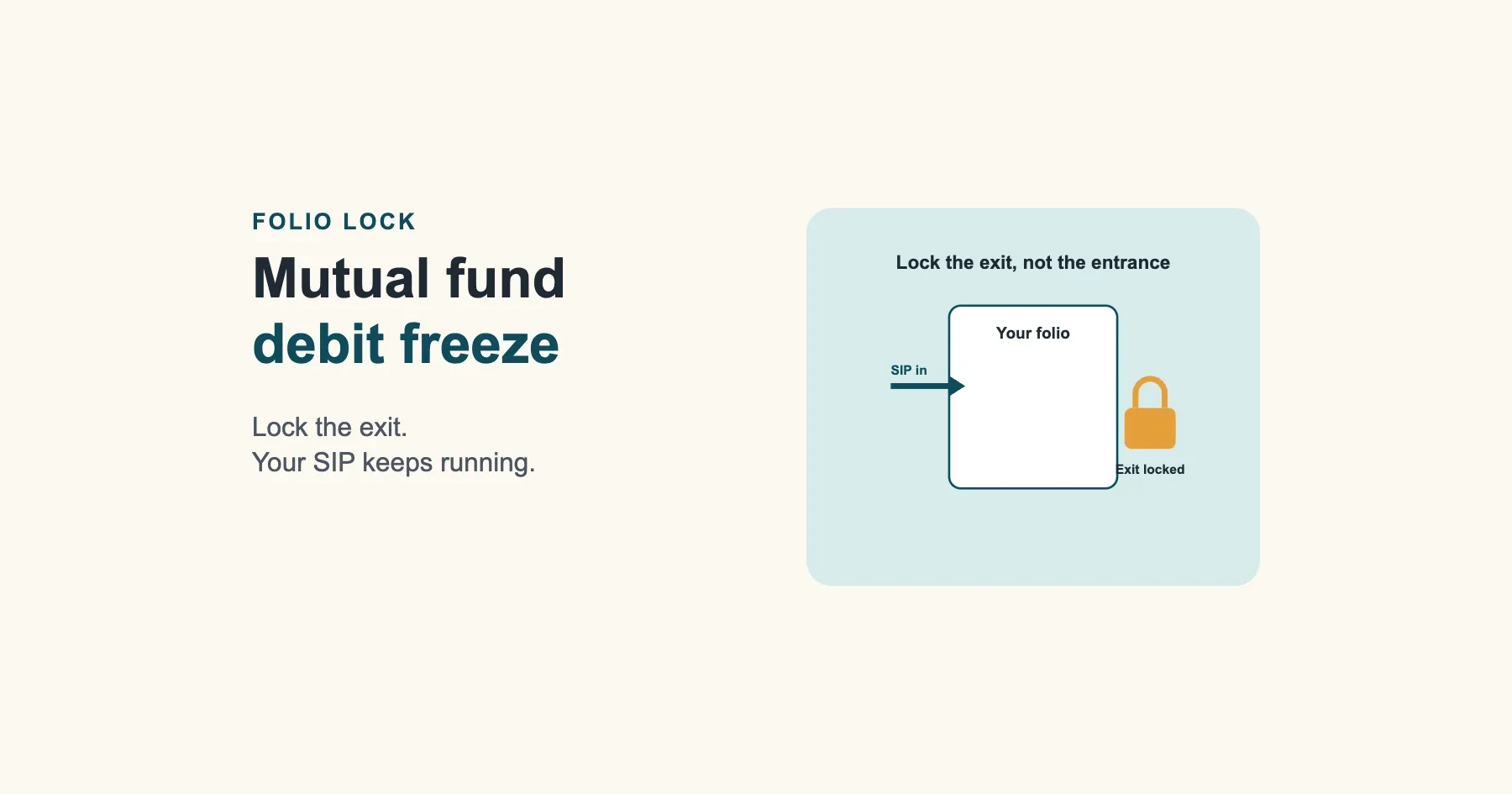
A mutual fund debit freeze is a voluntary lock, in effect from 30 April 2026, that a KYC-compliant investor can put on a folio through MF Central so that no units can be debited until they unlock it. Purchases and registered SIP instalments continue. Unlocking needs OTPs on both your email and your mobile, and no processing time is published.
Imran, 31, is a civil engineer in Guwahati with a monthly SIP running in one fund. One evening an SMS arrives with an OTP he did not ask for. Nothing has happened to his units, but he wants three answers. Can he lock the fund? Will his SIP stop? And how would he get money out if he needed it? Here are the answers, from SEBI's circular and the industry process. Rules as of 3 November 2026.
What the debit freeze is, and who set it up
SEBI created the facility through circular HO/24/12/12(5)2026-IMD-SEC-1/I/6373/2026, dated 6 March 2026, titled "Introduction of Voluntary Lock-in / Debit freeze facility to Mutual Fund folios". It lets investors lock their folios "to ensure that no units shall be debited from such folios till the time they are unlocked" (para 1), subject to the exceptions in the industry process described below. It covers demat and non-demat folios, and took effect on 30 April 2026 (para 3).
SEBI left the detail to AMFI, the industry body, which was to prescribe the process and the allowed transactions (paras 2.4 and 2.5). AMFI did so in its Best Practices Guidelines circular 135/BP/124/2026-27, dated 10 April 2026. So the list of what stops and what runs comes from AMFI's process, as published by fund houses, not from SEBI.
This voluntary lock-in is not the ELSS lock-in, which is a scheme rule you don't choose (lock-in, exit load and tax, explained). The debit freeze is a switch you control.
What you need before you can lock
- KYC done. SEBI says the facility is "enabled only for KYC complied (Registered / Validated) investors" (para 2.3). See mutual fund KYC online.
- Both email and mobile on the folio. SEBI calls a valid email ID and mobile number "both mandatory". The industry FAQs add that the mobile number must be Indian, because OTPs are not sent to international numbers.
- Your PAN, to sign in to MF Central.
- An eligible holding mode. The industry FAQs list folios held singly or as "anyone or survivor" (the first holder acts), and minors' folios, which the guardian can lock. Resident and NRI individuals can use it. The industry documents do not cover other joint-holding modes.
Imran's folio has only his mobile number, so adding his email comes first. With the stricter lock option, email and mobile changes are blocked too.
How to lock your mutual fund folio, step by step
Non-demat folios: MF Central
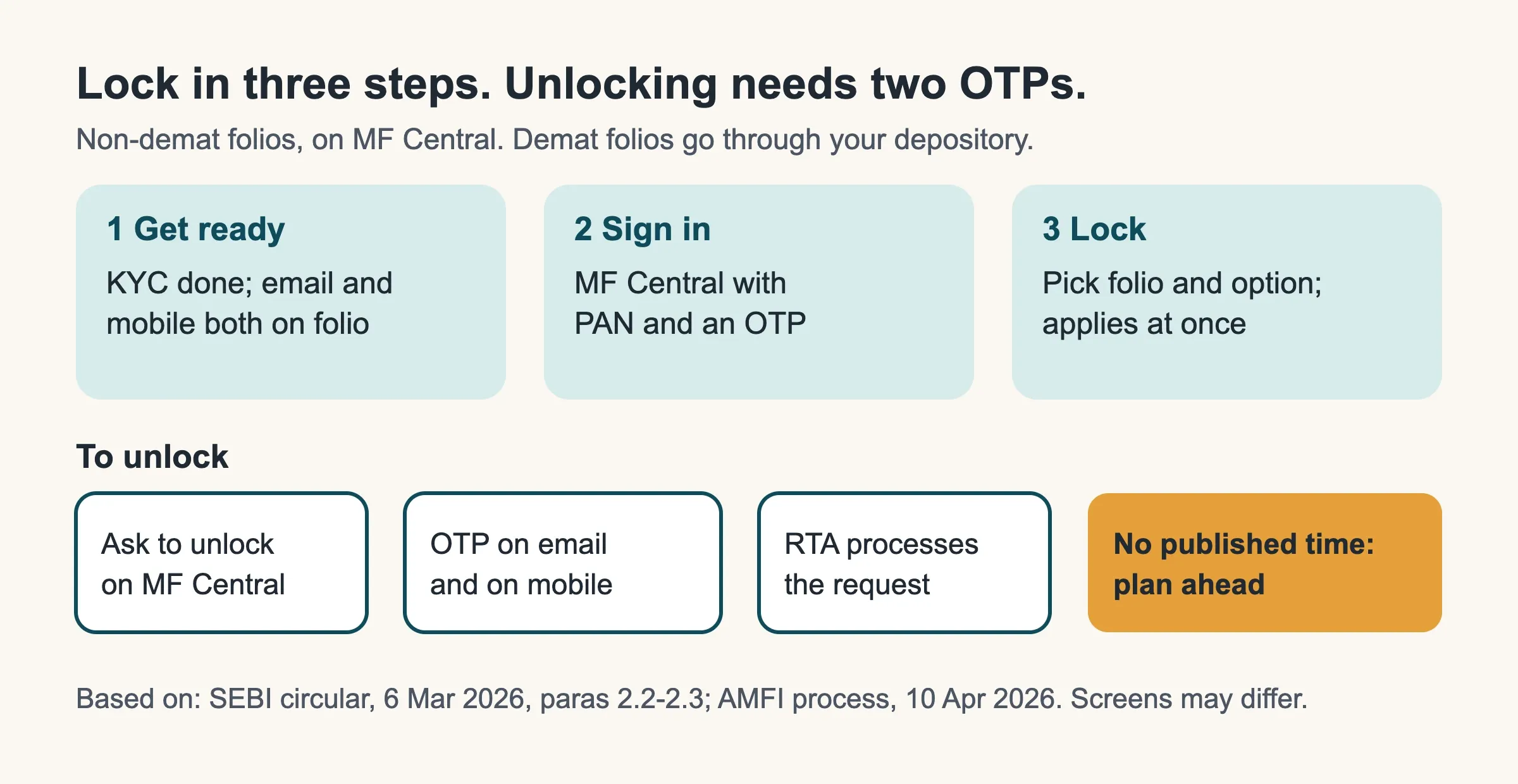
MF Central is an inter-operable platform of the registrar and transfer agents (RTAs), the firms that keep fund records. In this first phase, the RTAs offer the lock there (SEBI para 2.2). See what CAMS and KFintech are.
- Sign in or sign up on MF Central with your PAN and an OTP.
- Choose the fund and the folio or folios you want to lock.
- Choose the lock option (below).
- Validate the OTP sent to your registered contact details.
- The lock applies at once, and a confirmation goes to your registered email and mobile.
Screens and button names may change, so follow what MF Central shows you.
Two lock options. You can lock debit transactions only, or debit and non-financial transactions together. Both cover only transactions you start yourself.
Demat folios: through your depository
For units in a demat account, the industry process says MF Central redirects you to the online services of your depository. Your depository participant can tell you where this sits.
What stops and what keeps running
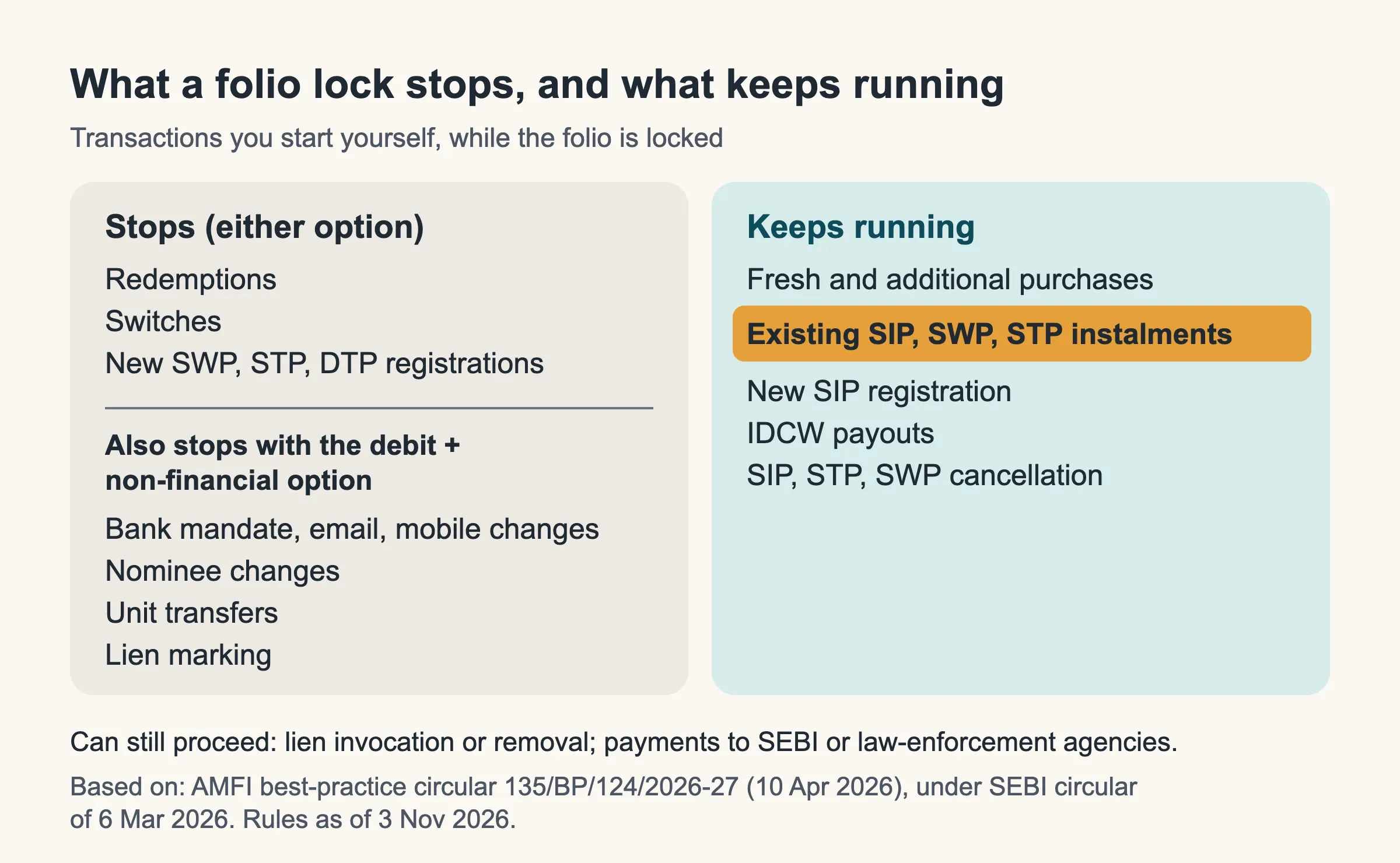
| What you try to do | Debit-only lock | Debit + non-financial lock |
|---|---|---|
| Redeem units | Stops | Stops |
| Switch to another scheme | Stops | Stops |
| Register a new SWP, STP or DTP | Stops | Stops |
| Change bank mandate, email or mobile | Not named in this option* | Stops |
| Change nominee, transfer units, mark a lien | Not named in this option* | Stops |
| Fresh or additional purchase | Keeps running | Keeps running |
| Existing SIP, SWP, STP instalments | Keeps running | Keeps running |
| Register a new SIP | Keeps running | Keeps running |
| IDCW payout or reinvestment | Keeps running | Keeps running |
| Cancel an SIP, STP or SWP | Keeps running | Keeps running |
*The industry documents name the two options but list these changes without tying them to one. From the option names, they stop only under the stricter lock; check with your fund house.
Two things still go through any lock: lien invocation or removal, and payments or requests from SEBI or law-enforcement agencies. So the lock stops debits that you, or someone pretending to be you, can start; it does not mean nothing can ever leave the folio.
For Imran, the SIP keeps buying units every month. Lock the exit, not the entrance.
The catch: a locked folio cannot be redeemed or switched in a hurry. A redemption request, even your own, is restricted with a message, and a paper request is accepted and then rejected.
How to unlock your mutual fund folio, and why to plan ahead
- Sign in to MF Central with your PAN and an OTP.
- Choose the fund, the folio or folios, and the unlock option.
- Validate two separate OTPs, one sent to your email and one to your mobile. Locking needs one OTP; unlocking needs both.
- MF Central sends the request to the RTA for processing, and a confirmation goes to your email and mobile.
None of the SEBI or industry documents gives a processing time for the unlock, so don't assume it will be quick. The industry FAQs and the common SOP (April 2026) say no cooling period applies "as of now" and set no limit on how often you lock or unlock. Fund houses publish their own process notes, so read your fund house's current process before you lock.
The lock lasts until you remove it. It also ends when a minor whose guardian set it comes of age, or when the first or sole holder dies; nominees or legal heirs then ask for transmission as usual.
The catch: the protection and the delay are the same feature. If your emergency money sits in a fund, keep at least the first month of it somewhere you can reach without an unlock (see how much emergency fund to keep).
Is this the same as freezing a demat or trading account?
No. Three different things share the word "lock" or "freeze":
| What it covers | Who sets it | How it ends | |
|---|---|---|---|
| Mutual fund debit freeze | Debits from a mutual fund folio (and, with the stricter option, changes to its details) | You, on MF Central or through your depository | You unlock it with two OTPs |
| Demat or trading account freeze | Your demat or trading account | You, through your broker or depository | Under that provider's own rules |
| ELSS lock-in | Redemption of units in a tax-saving scheme | The scheme's rules | When the lock-in period ends |
This article covers only the first.
Got an OTP you didn't ask for?
- Don't share the OTP with anyone who asks for it, by call, SMS or chat.
- Contact the fund house or its RTA using the contact details on their official website, not a number from the message.
- Check your folio on MF Central, or your next consolidated account statement, for any transaction you don't recognise.
- Decide whether the lock suits you, knowing what it stops.
- If a complaint isn't resolved, SEBI's SCORES system says investors "shall first take up their grievances for redressal with the entity concerned"; after that, you can file on SCORES (scores.sebi.gov.in).
Frequently asked questions
Will my SIP stop if I lock my mutual fund folio?
No. Under AMFI's process (10 April 2026), existing SIP instalments keep going through while the folio is locked, and you can still register or cancel an SIP.
Can I redeem in an emergency while my folio is locked?
Not until you unlock it. Redemptions and switches stop while the folio is locked, and no unlock processing time is published, so keep short-notice money outside a locked folio.
How long does it take to unlock a mutual fund folio?
No processing time is published in the SEBI circular (6 March 2026) or the industry process documents. Unlocking needs OTPs on both your email and mobile, and then the RTA processes the request. The industry FAQs say no cooling period applies as of now; check your fund house's current process before you lock.
Is a mutual fund folio lock the same as freezing a demat or trading account?
No. The debit freeze covers a mutual fund folio and is set on MF Central, or through the depository for demat folios. A demat or trading account freeze is a separate facility with its own rules.
Does locking cost anything, and can I lock a joint or child's folio?
The SEBI circular and the industry documents do not mention a charge. The industry FAQs (April 2026) cover folios held singly or as "anyone or survivor", where the first holder acts, and minors' folios, which the guardian can lock. Other joint modes are not covered in those documents.
I got an OTP I didn't request. Will locking protect me?
The lock blocks redemptions and switches requested on your folio; undoing it needs OTPs on both your email and your mobile. Don't share the OTP, contact the fund house or RTA through its official website, and check your statement.
What to do next
- Check that both your email and mobile are on your folio. That is the first step to using the lock.
- Read your fund house's published lock and unlock process on its website.
- Write down where your first month of emergency money sits, and whether you can reach it without an unlock.
- If you hold a tax-saving fund, read how ELSS lock-in, exit load and tax work, so the two locks don't get mixed up.
— Laabh