How to Change Your SIP Amount or Date Without Stopping It: What Happens to Your Mandate and Next Instalment
How to change SIP amount or date without stopping it: why your bank mandate's maximum can block an increase, and when the next instalment changes.
Summarize this article with AI





The short version
- You can usually change an SIP's amount or date without stopping it.
- Every SIP debit runs on a mandate (e-NACH or UPI AutoPay) with a maximum amount; an increase above it needs a new mandate or a second SIP.
- Lead times vary: check the next instalment after you submit.
- Units you already hold are untouched; each instalment keeps its own NAV, allotment date and ELSS lock-in.
- A new mandate with a maximum above today's SIP leaves room for future step-ups.
As of 22 November 2026, you can usually change your SIP amount or date without stopping the SIP. A decrease or a date change is generally simple. An increase goes through only if the new amount fits the maximum amount on your bank mandate (e-NACH or UPI AutoPay); otherwise you need a new mandate with a higher limit, or a second SIP alongside the first.
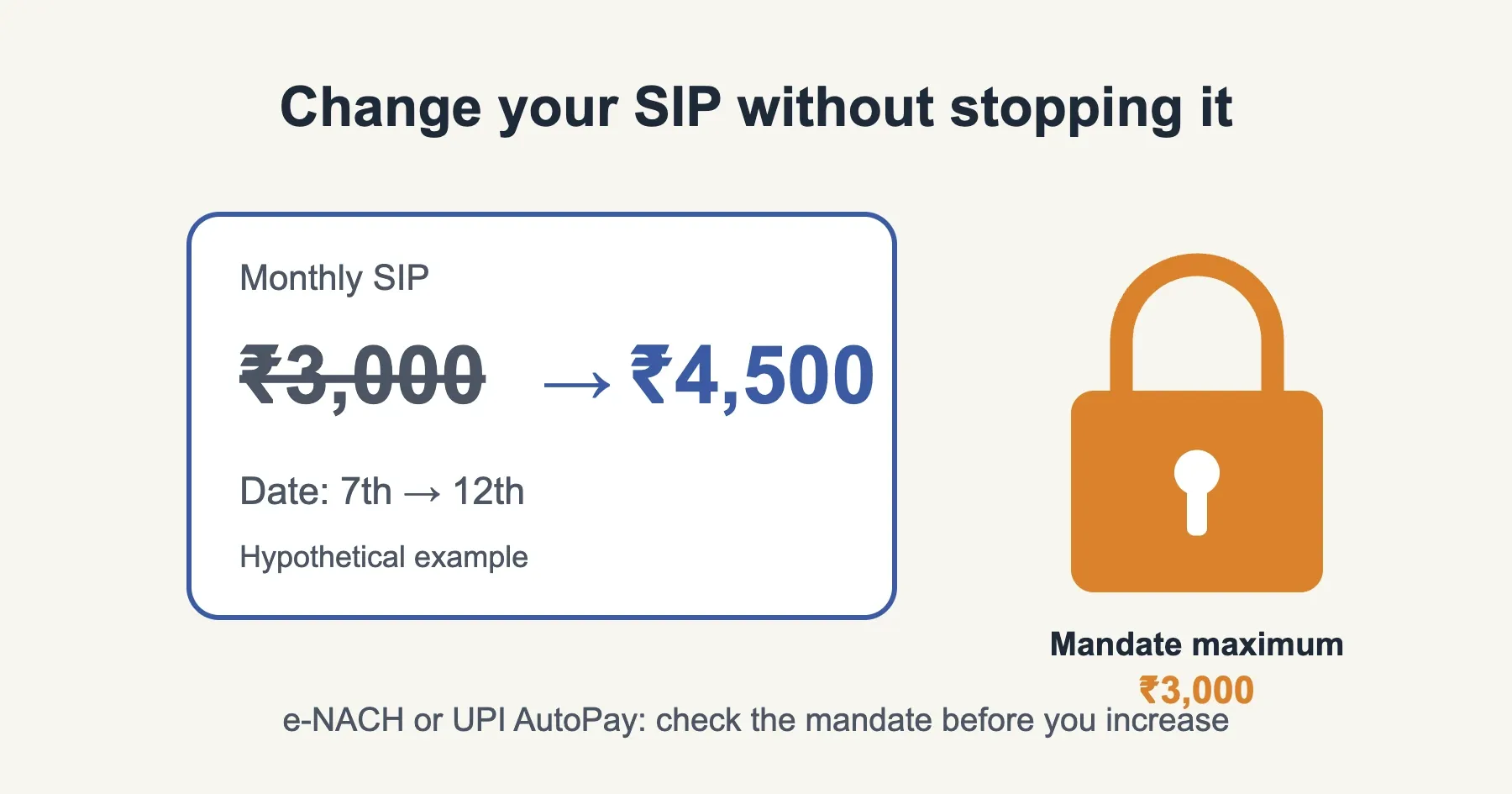
Nandini, 27, in Coimbatore, has a ₹3,000 SIP debited on the 7th. After a raise, her salary arrives on the 10th and she wants to invest ₹4,500 on the 12th. Her app says the new amount exceeds her mandate limit. This page explains what is happening underneath.
Short answer: yes, you can usually change amount or date without stopping
Three things decide how smoothly a change goes:
- Who holds the SIP. The SIP is registered with the AMC (fund house) against your folio, and its registrar, such as CAMS or KFin Technologies, processes it. Some platforms edit the SIP; others cancel it and register a new one in the same scheme.
- The mandate. Every automatic debit runs on a mandate you authorised with your bank, and it carries a maximum amount.
- Lead time. The request must be processed before the next debit is prepared, and that time varies.
Four ways to change what you invest
| Route | What it does | Mandate impact | Fits when |
|---|---|---|---|
| Modify the SIP | Changes the amount, the date, or both | New amount must fit the mandate's maximum | A one-time budget or salary-date change |
| Step-up (top-up) SIP | Raises the amount by a fixed sum or percentage at set intervals | Each future step must also fit | Income expected to rise regularly |
| Add a second SIP | Keeps the old SIP; another covers the extra | Depends on how your platform counts the limit | Mandate too small, and you want to start now |
| Pause | Skips instalments, then resumes | Mandate stays in place | A short cash squeeze |
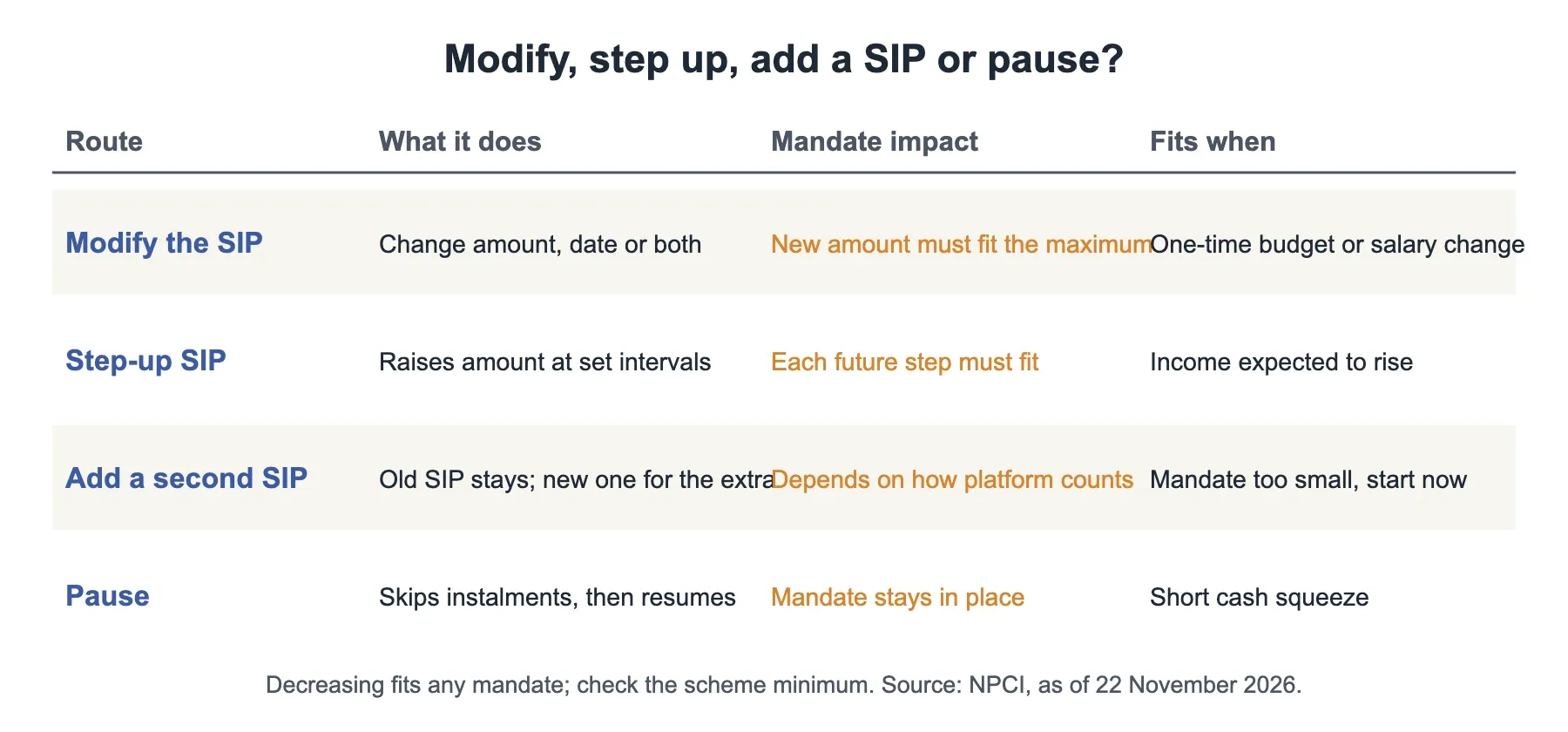
Decreasing is the simplest case, because a smaller debit fits any mandate. Check only the scheme's minimum SIP amount in its Scheme Information Document (SID). For how much to raise an SIP each year, see how much to step up your SIP; for pausing versus stopping, see pause or stop your SIP.
The mandate behind your SIP and its maximum amount
An SIP mandate is your standing permission to debit your bank account. Two types are common, both run by NPCI (National Payments Corporation of India).
e-NACH (National Automated Clearing House). Registered through net banking, a debit card or a signed form. NPCI's NACH debit FAQ (accessed 22 November 2026) lists network caps such as ₹10 lakh for a recurring e-mandate and ₹1 crore for a physical mandate. It also allows a "mandate amendment"; whether your platform offers one or asks for a fresh mandate varies.
UPI AutoPay. Registered in your UPI app with your UPI PIN. NPCI's UPI consolidated circular of 18 September 2026 requires banks to let you "specify the maximum value of any recurring transaction" on variable-amount mandates, a pre-debit notification "at least 24 hours prior" to each debit, and a way to pause or revoke the mandate.
Why your increase is blocked. The network caps are far above a typical SIP. The limit that stops an increase is usually the one on your own mandate. If Nandini's mandate maximum is ₹3,000, a ₹4,500 debit is ₹1,500 above what she authorised. The maximum is a ceiling, not a debit: only the SIP amount is taken.
Worked example: ₹3,000 to ₹4,500, and the 7th to the 12th (hypothetical)
No return rate is assumed; the point is the mechanics. Nandini's increase is ₹1,500, or 50% more a month. She has two routes.
| Today | Route A: new mandate, modified SIP | Route B: keep the SIP, add a second | |
|---|---|---|---|
| Monthly debits | ₹3,000 on the 7th | ₹4,500 on the 12th | ₹3,000 on the 7th, ₹1,500 on the 12th |
| Mandate | ₹3,000 maximum | New, ₹10,000 maximum (assumed) | Existing, if the platform checks each debit separately |
| Invested in 12 months | ₹36,000 | ₹54,000 | ₹54,000 |
Route A fixes both: once the new mandate is active, she modifies the SIP to ₹4,500 on the 12th. With a hypothetical 10% step-up each year, the ₹10,000 maximum covers nine years: year 9 is about ₹9,646 a month, while year 10, about ₹10,611, would need a higher limit.
Route B starts the extra ₹1,500 sooner, but depends on how the platform counts the limit. Some treat the maximum as a per-debit cap, so ₹1,500 fits a ₹3,000 mandate; others add up all SIPs on one mandate and would block ₹4,500 in total. She can also move the old SIP to the 12th, since a date change needs no extra mandate room.
The transition month. If Route A's change misses December's processing window, the 7 December instalment goes out at ₹3,000 and the new details start on 12 January. If her platform cancels and re-registers, and the cancellation lags, December could see ₹3,000 on the 7th and ₹4,500 on the 12th: ₹7,500 in total. Keep that balance, or confirm the old SIP shows as cancelled first.
Step by step: changing the amount or the date
Changing the amount
- Open the SIP where you registered it (platform or AMC website) and look for a modify option. If there is none, cancel and register a new SIP in the same scheme.
- Check the new amount against the scheme minimum and your mandate's maximum, shown in the platform's mandate section or under AutoPay in your UPI app.
- If it is above the maximum, register a new mandate, wait until it shows as active, then link it.
- Note the effective date confirmed, and check the next instalment amount.
Changing the date
- Pick a date a few days after your salary usually arrives; our guide to the best date for an SIP explains why cash flow matters more than the date.
- Submit the change. A date change does not raise the debit amount, so it needs no extra mandate room; if your platform or UPI app asks you to re-authorise the mandate, follow its prompt.
How long it takes and what happens to the next instalment
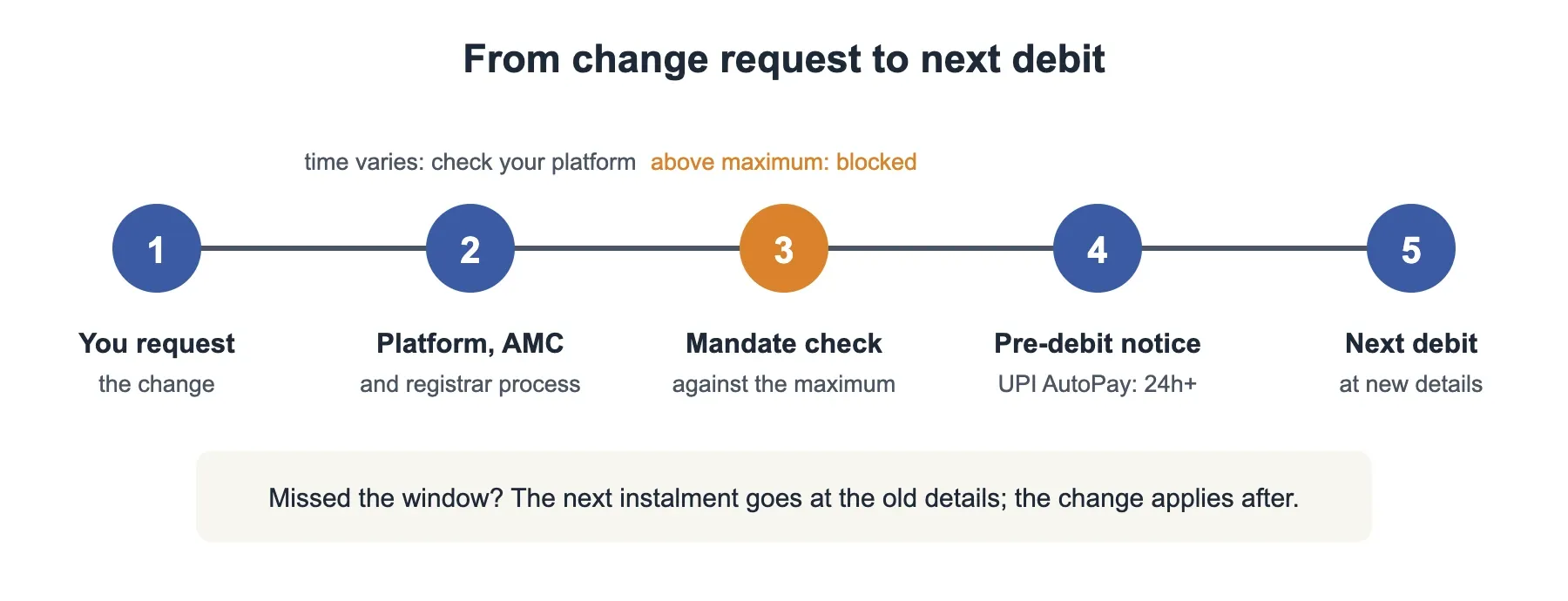
The order is the same everywhere, as the timeline shows. NPCI notes NACH mandate activation can be "same day" at the network level, but platforms and fund houses add their own steps, so we give no day count. A request too close to the next instalment usually leaves that instalment on the old details. If a larger debit meets a low balance, see what happens when you miss an SIP instalment.
Does changing an SIP reset anything?
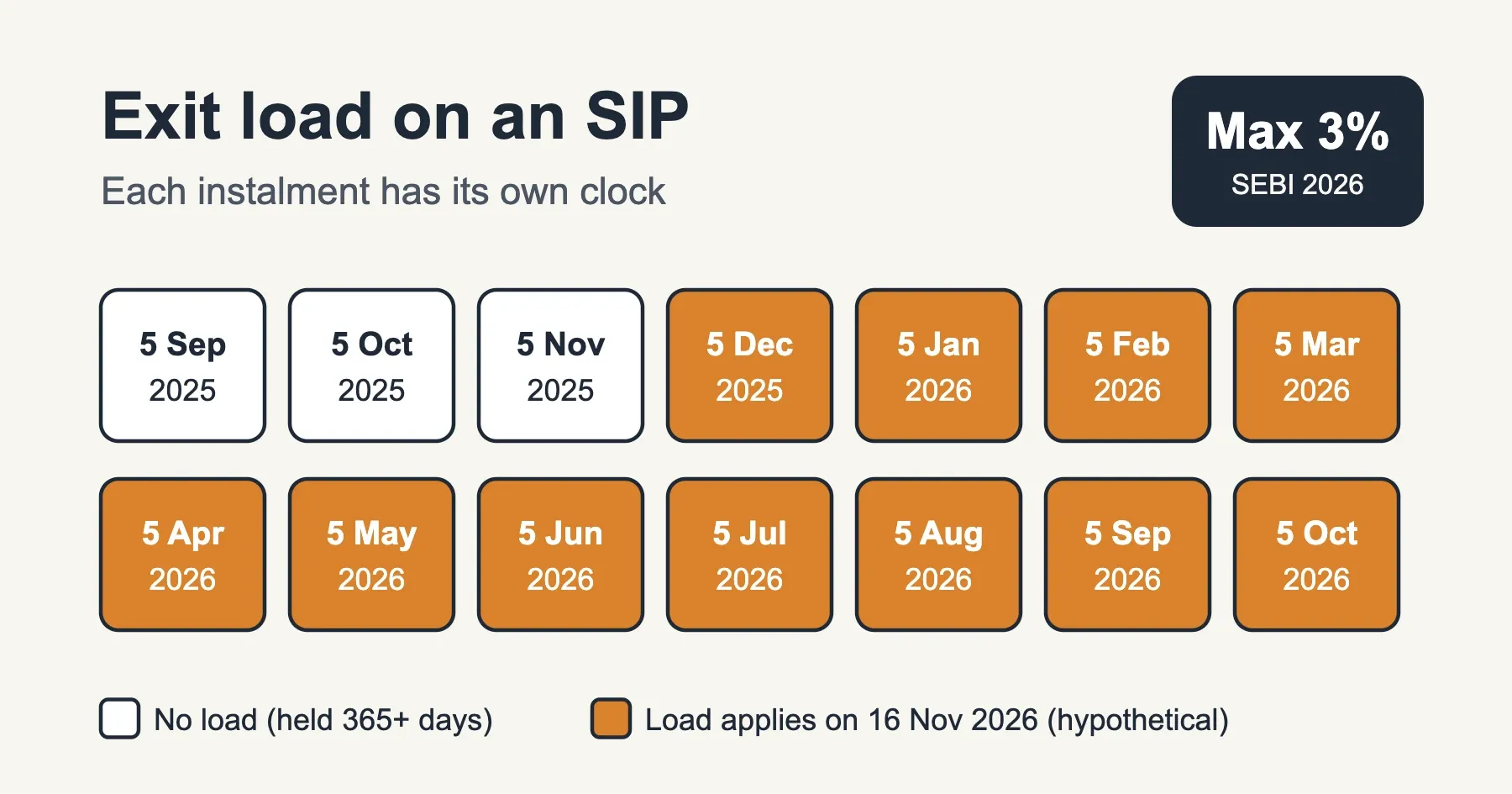
No, not for units you already hold. Each instalment keeps its own NAV and allotment date; a change affects only later instalments.
- Holding period. For tax, each instalment's holding period runs from its own allotment date.
- ELSS lock-in. Each ELSS instalment is locked in for three years from its own allotment date (Equity Linked Savings Scheme, 2005, clause 3(d)); see ELSS lock-in for SIPs. A change does not restart earlier clocks.
- Folio. A change within the same scheme through the same platform generally stays in the same folio.
Frequently asked questions
Can I change my SIP amount without stopping the SIP?
Generally yes. Some platforms edit the running SIP; others cancel it and register a new one in the same scheme. An increase must also fit your mandate's maximum amount.
Why can't I increase my SIP amount?
Usually the mandate. If your e-NACH or UPI AutoPay mandate has a ₹3,000 maximum, a ₹4,500 debit is above what you authorised. Register a new mandate with a higher maximum, or add a second SIP for the extra if your platform allows it on the existing mandate.
How many days before the SIP date should I change it?
There is no single number: it depends on your platform, the AMC and its registrar. Check your platform's SIP modification terms, and the next instalment date and amount shown after you submit.
Does changing my SIP date affect returns?
No date reliably produces better returns. The practical reason to move a date is cash flow: a debit a few days after salary day is less likely to bounce.
Will changing my SIP amount affect my old units or tax?
No. Each instalment keeps the NAV and allotment date it was bought at, so its holding period and any ELSS lock-in run from that date. Only later instalments use the new amount.
Save this for your next SIP change
Save this page for your next salary change, and join Laabh updates for more guides on how SIPs work underneath.